Offline Activation
Follow these steps to activate SimPCB Lite on a target computer that has no Internet access.
-
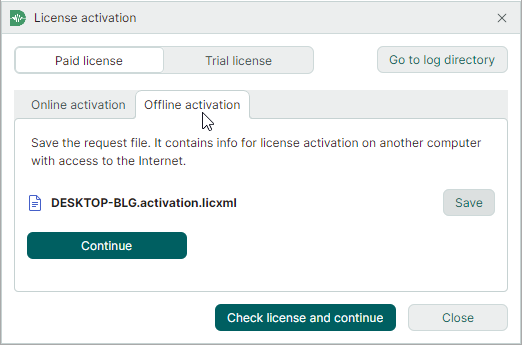
Start SimPCB Lite. In the License activation window that appears, switch to the Offline activation tab.
-
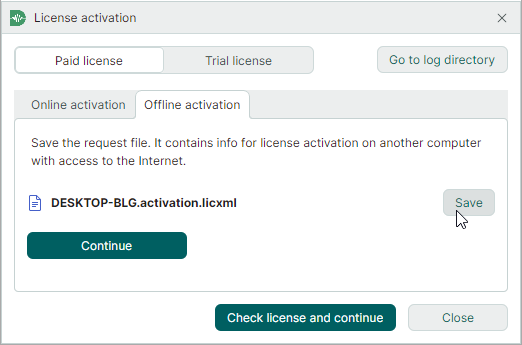
Click the Save button to save a license request to a file. Then click Continue.
-
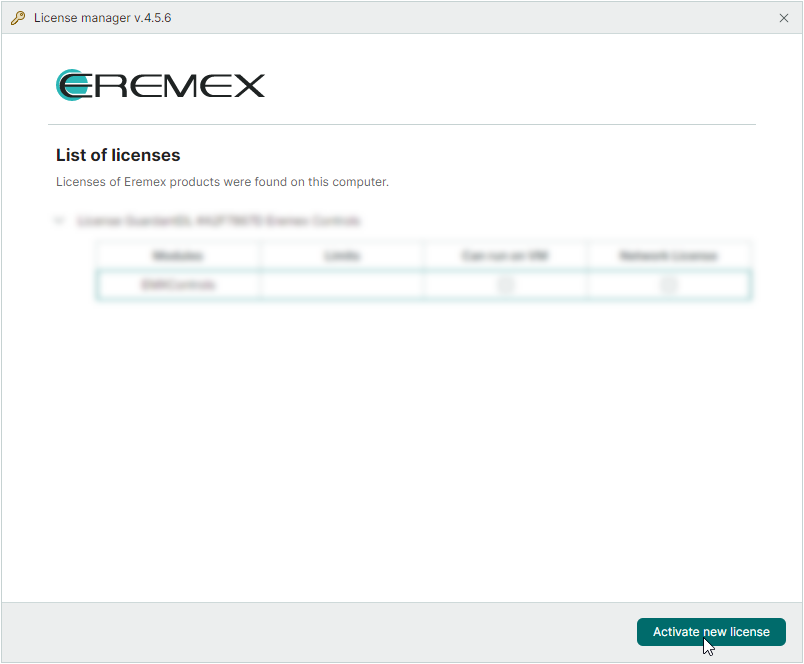
On another computer with Internet access, run the Eremex License Manager tool (the
Eremex.LicenseActivator.exeexecutable file located in theLicenseActivationsubdirectory of your SimPCB installation folder;C:\Program Files\Eremex\SimPCB Lite\LicenseActivation\, by default).Click Activate new license.
-
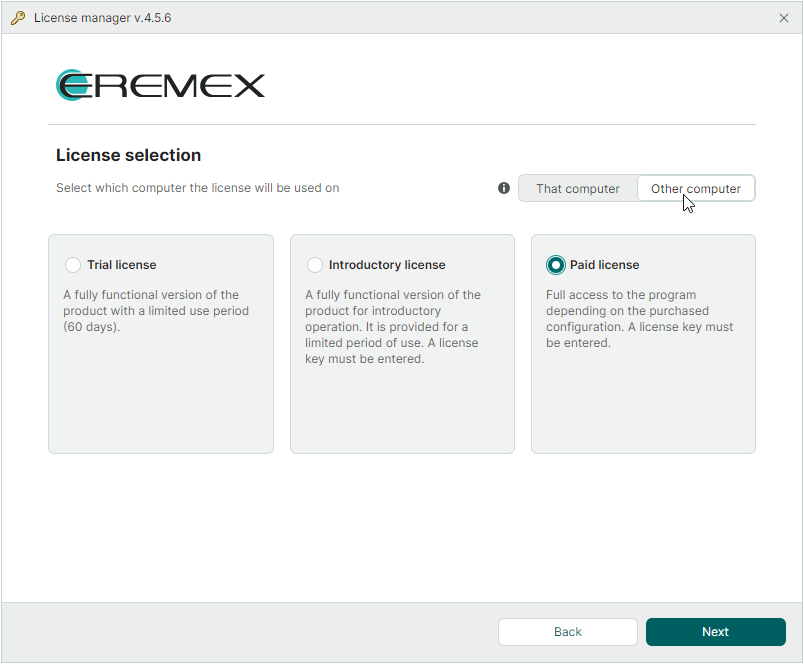
Select Other computer, and then select the Paid license option. Click Next.
-
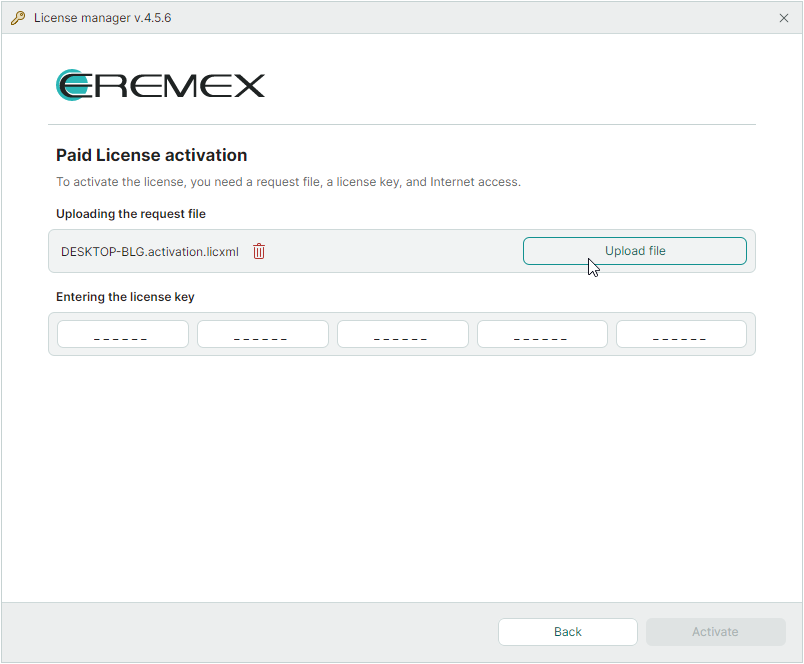
Load the license request file that was generated on the target computer.
-
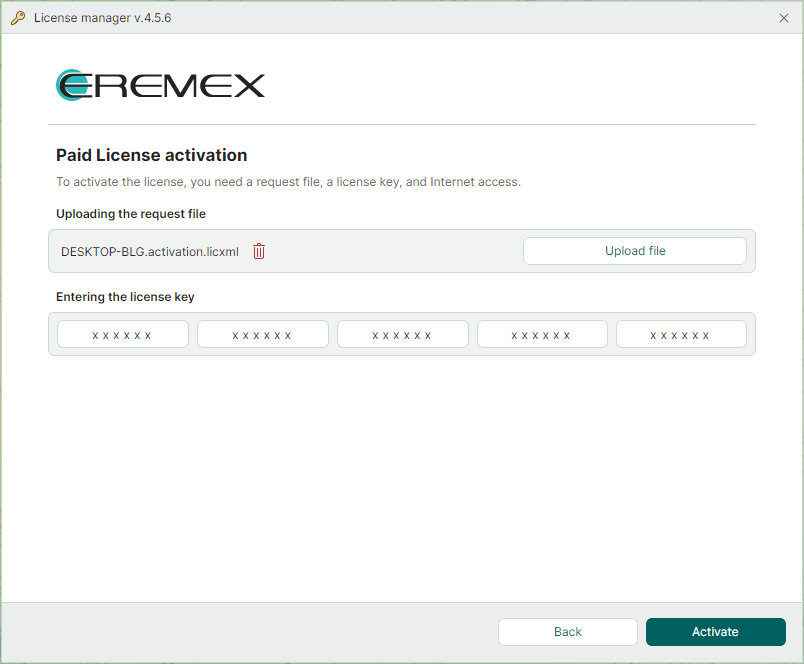
Enter your license key and click Activate.
-
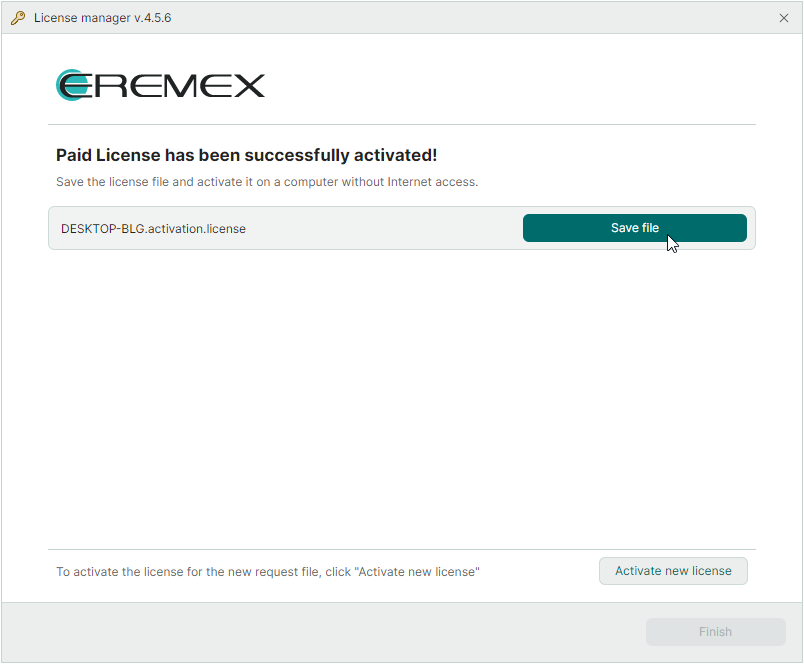
Save the obtained license file.
-
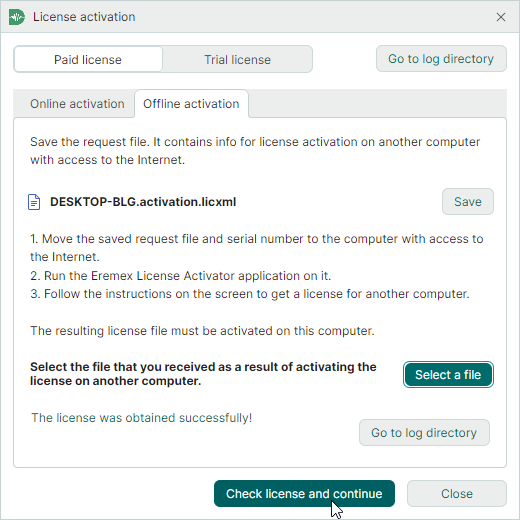
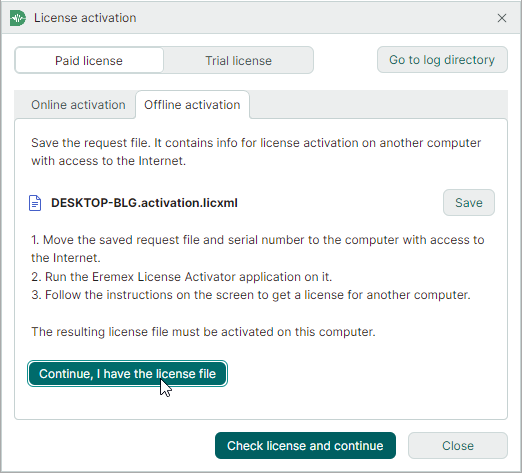
Go back to the target computer. In the License activation window, click Continue, I have the license file.
-
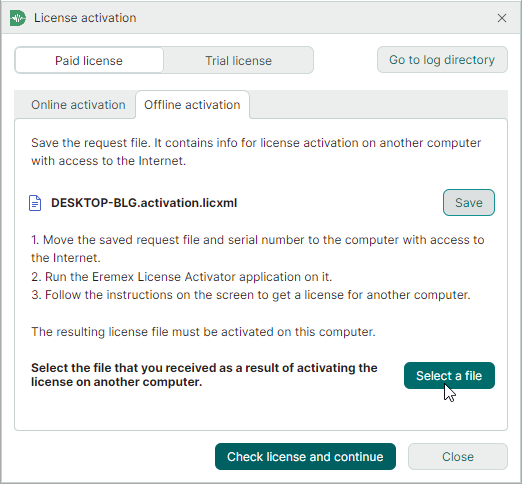
Click Select a file and load the obtained license file.
-
Click Check license and continue.