Workspace
In the SimPCB Lite main window you can manage projects, run calculations, and adjust application settings.
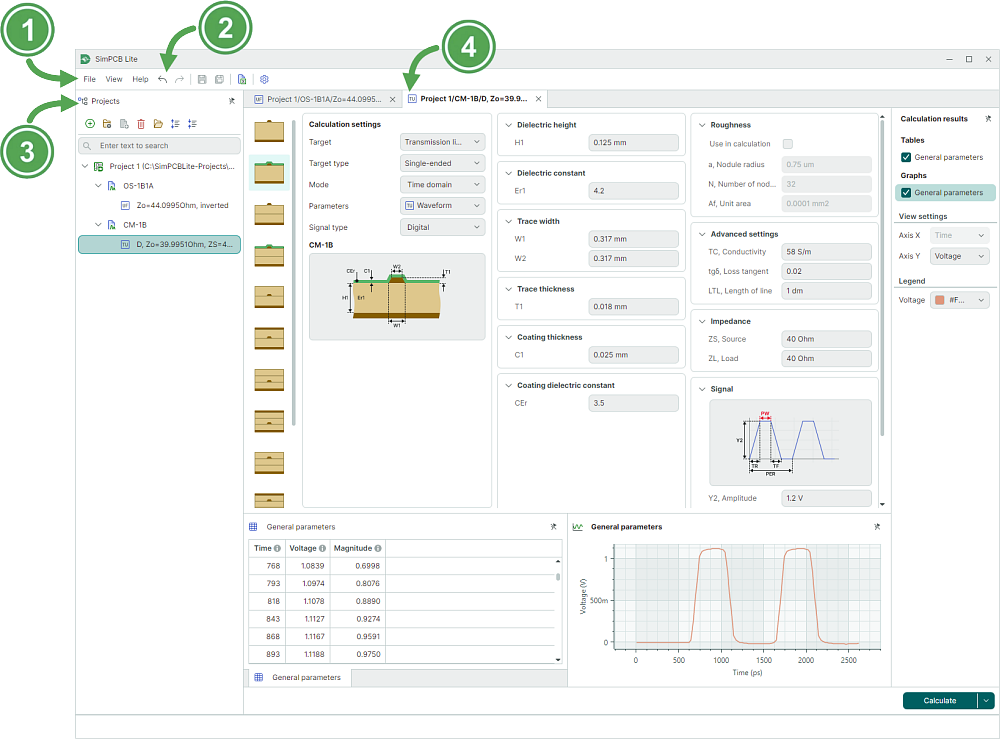
- Main menu
- Toolbar
- Projects panel
- Open calculations (tabs)
Main Menu
The main menu contains commands to manage projects, change window display mode (switching to Full Screen), and access the application's settings.
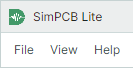
- File – Contains the main commands and provides access to the application's calculation settings.
- View – Contains window display commands, including accessing the Projects panel and switching the window to Full Screen mode.
- Help – Provides access to the SimPCB Lite documentation.
The File menu contains commands to manage projects and export calculations:
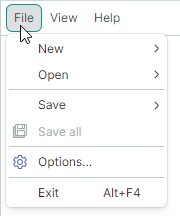
- New → Project – Creates a new project in SimPCB Lite's SIMP format.
- Open → Project – Opens an existing project in SIMP format.
- Save → Project – Saves the current project.
- Save all – Saves all projects.
- Export → Calculation (XLSX) – Exports the saved model and signal integrity analysis results in XLSX format.
- Settings – Opens the Control Panel that contains the application's settings.
- Exit – Closes SimPCB Lite (
Alt+F4).
Toolbar
The toolbar contains tools to save and export calculations, as well as to access the Control Panel (the application's settings).

 Undo calculation saving or reset changes – Undo calculation saving and reset changes. This button becomes active in Overwrite calculation mode after changes are made to the calculation data.
 Redo the last calculation – Restores the calculation that has been undone. This button becomes active in Overwrite calculation mode after the Undo command has been invoked.
Восстановление последнего расчета. Кнопка становится активной в режиме «Перезаписать расчет» после отмены сохранения расчета.
Redo the last calculation – Restores the calculation that has been undone. This button becomes active in Overwrite calculation mode after the Undo command has been invoked.
Восстановление последнего расчета. Кнопка становится активной в режиме «Перезаписать расчет» после отмены сохранения расчета. Save project – Saves changes to the active project.
 Save all – Saves changes to all projects.
 Export calculation to XLSX – Exports SimPCB calculations in XLSX format.
 Calculation settings – Opens the application's settings.
Projects Panel
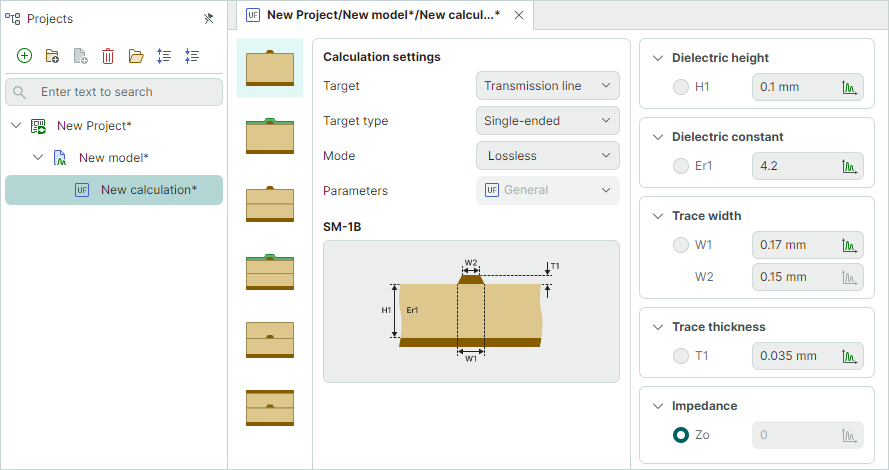
The Projects panel provides tools to create and manage projects and calculations.
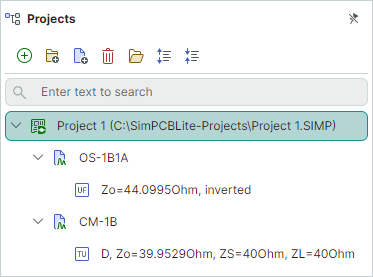
To get started with SimPCB Lite, first create a project.
- Project – A single unit (*.SIMP file) that contains models (structures) and calculations.
Once a project is generated, it already contains a default model (structure) and an empty calculation for this model.
- Model – A model (structure) of a transmission line or via.
- Calculation – A calculation performed on a model using specified input data. It defines calculation input parameters, as well as result presentation settings.
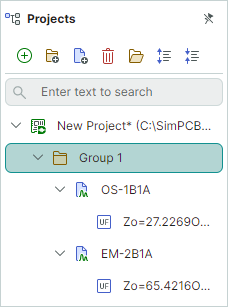
You can optionally create groups within a project to combine individual models.
- Group – An optional folder to combine models according to your logic.
For more information, see Manage Projects and Calculations.